
The short answer
A loan origination system workflow is the path a loan takes from application to funding. Many lenders organize it into seven steps: intake, identity and screening, the credit pull, the decision, the compliance record, closing documents, and funding. Your loan origination system (LOS) tracks every step. The work that slows a file down is often not the LOS itself. It is the manual handoff in the middle, where a credit report has to be read, keyed in and checked before anyone can decide.
This guide walks the seven steps in order, shows which ones lenders commonly automate, and explains why the credit pull is where an origination workflow tends to stall.
The seven steps of a loan origination workflow
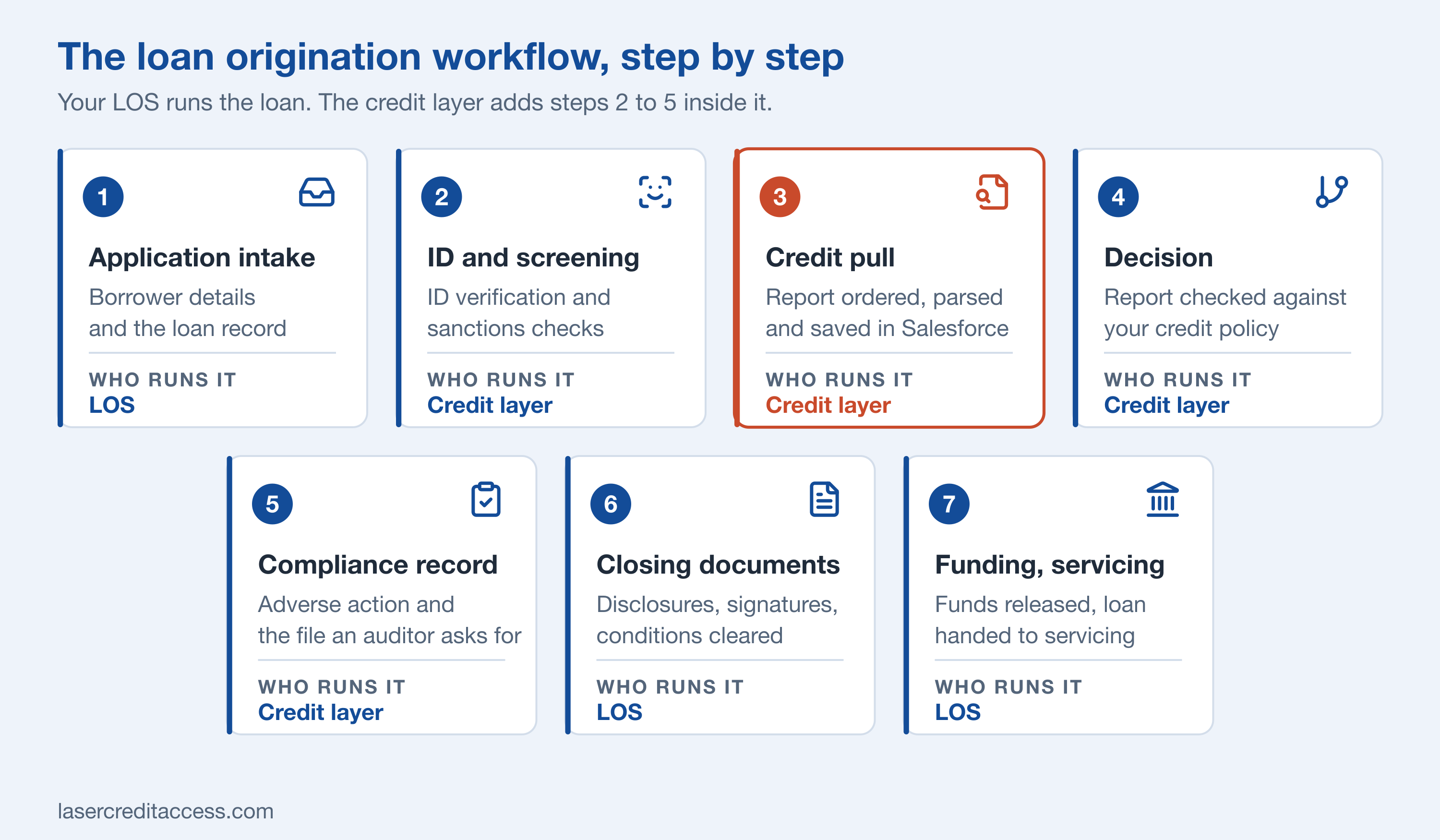
Your LOS runs the loan from start to finish. The credit layer adds steps 2 to 5, with the credit pull at the center.
1. Application intake
The borrower applies, and the LOS creates the loan record. Intake captures the borrower's details, the loan type and amount, and the consent the lender needs to go further. A clean record here saves time at every later step, because each step reads from it.
2. Identity verification and screening
Before a credit report is ordered, the lender confirms who the applicant is and checks them against sanctions lists. Doing this first means a file that fails does not cost you a credit pull. It also keeps the order of steps the same on every file, which matters when someone later asks how a file was handled.
3. The credit pull
The lender orders the credit report from the bureaus or credit reporting agencies it uses, with a permissible purpose for the pull. This is the step the rest of the workflow waits on. Until the report is on the file, there is nothing to decide, so the speed and quality of this one step set the pace for the loan.
4. The decision
The lender checks the report against its credit policy and reaches an outcome: approve, decline, or send to a person for review. The decision is only as consistent as the data it reads. Rules can read a report that was parsed into Salesforce records. They cannot read a PDF in a folder.
5. The compliance record
Every decision leaves a record: what was checked, the result, who acted, and the notices the outcome requires. When a decision is adverse, that includes the adverse action notice under ECOA/Regulation B and, where a credit report was used, the FCRA. This is the file your compliance team and examiners ask for. Building the record as the workflow runs, rather than after closing, means fewer details are missed and less effort is spent rebuilding it later.
6. Closing documents
Disclosures, signatures and conditions are cleared. This is core LOS territory: document generation, e-signature and condition tracking.
7. Funding and servicing
Funds are released and the loan is handed to servicing. The origination workflow ends here, and the loan management or servicing system takes over.
Where the credit pull sets the pace
Steps 1, 6 and 7 are well covered by any good LOS. Steps 2 to 5 are where many lenders lose time, because each one involves outside data and a judgment call.
The credit pull is the hinge. A report that arrives as a PDF has to be downloaded, read, keyed into the record and filed. The decision waits on that work, the compliance record depends on someone remembering to write it down, and no rule or report can use the numbers.
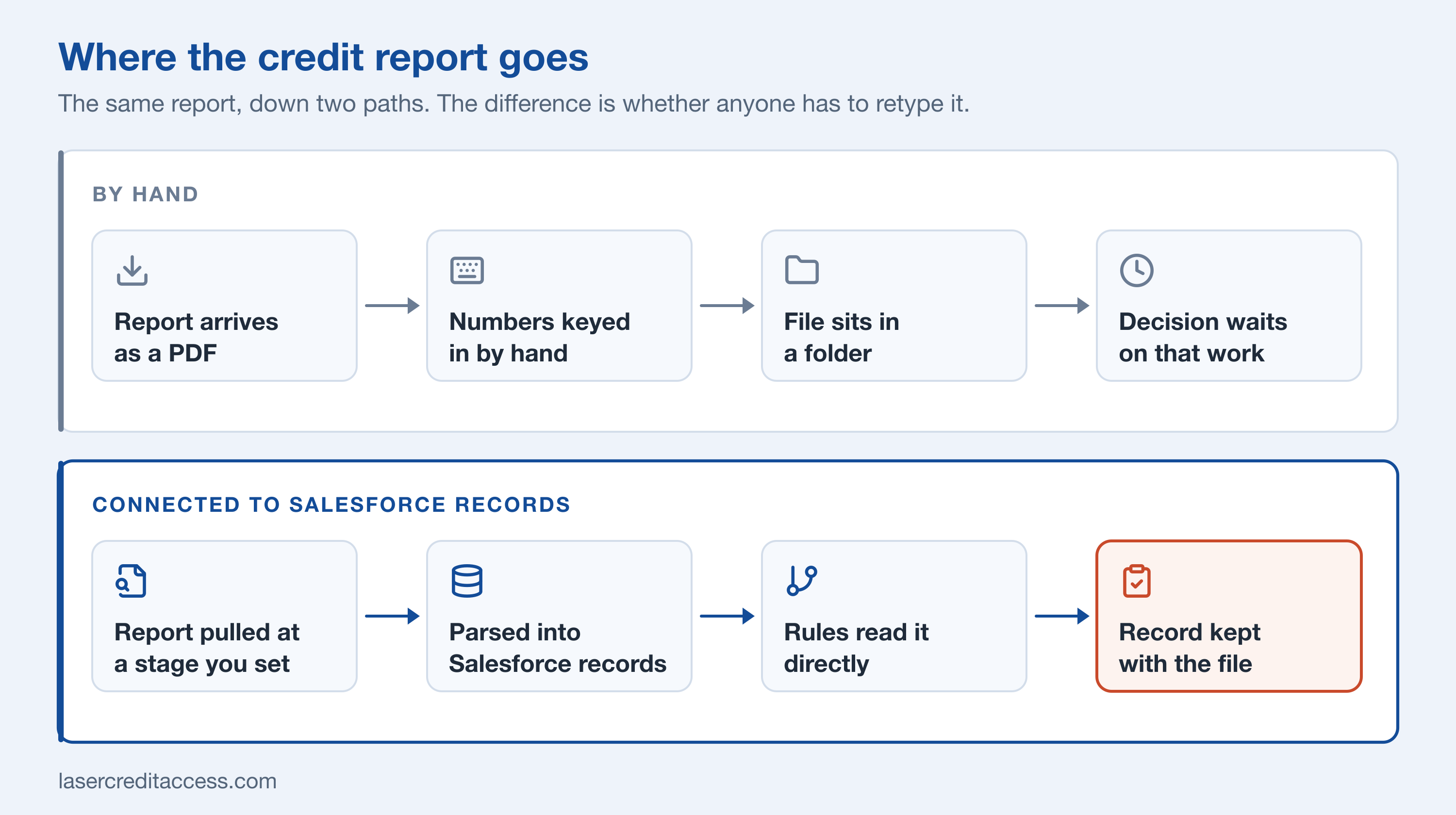
The same credit report, down two paths. The difference is whether anyone has to retype it.
A connected credit step looks different. The report is ordered at a stage you set, parsed and saved into easily accessible Salesforce records with its trade accounts and payment history, and read directly by your decision rules. The same records show what was pulled, when, and by whom.
What to automate, and what stays with a person
Automation works best on the steps that repeat on every file. Keep a person on anything that calls for judgment.
| Step | Good to automate | Still a person's call |
|---|---|---|
| Intake | Creating the record and filling in borrower details | Reviewing unusual applications |
| Identity and screening | Running the checks and logging the result | Handling a failed or inconclusive check; reviewing every potential match |
| Credit pull | Ordering the report at a stage you set | Handling errors and frozen files |
| Decision | Checking the report against your policy | Deciding the files sent for review |
| Compliance record | Keeping results and user on the record | Signing off adverse action notices and exceptions |
For a fuller view of what to automate across intake, screening, the credit pull and decisioning, see lending automation in Salesforce.
How the credit layer fits inside your LOS
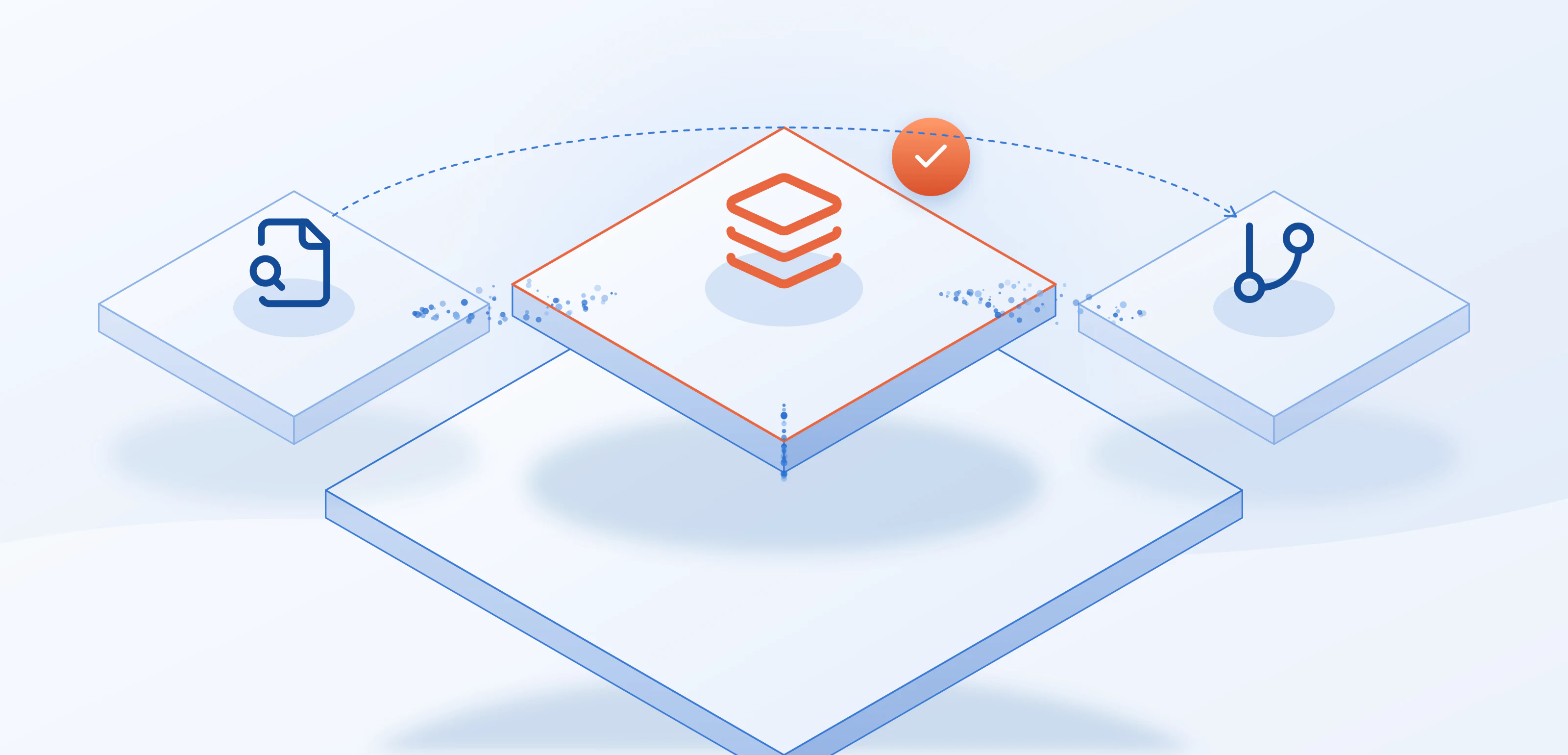
A report parsed into Salesforce records can be read by your decision rules, not just filed.
LASER Credit Access® is not a loan origination system. It is the credit layer that runs inside a Salesforce LOS. It pulls the credit report into Salesforce records, checks it against your credit policy, and supports the compliance steps around the decision, while your LOS keeps intake, documents, closing, funding and servicing.
In a Salesforce workflow, that works like this:
- Field mapping lets LASER read the borrower details your LOS already holds, on Lead, Contact, Account and Opportunity or on a custom loan or application object, and write the credit report back to the same record.
- A Salesforce Flow your admin builds can order the credit report when an application reaches a stage you choose, such as moving to underwriting.
- Screening and data checks can run before the pull, so an OFAC check and address validation happen before a report is ordered.
- Permission sets control who can pull, who can only read, and who can see the credit data.
The aim is consistent, auditable credit decisions. Identical loans, scored identically. The details of which bureaus and agencies LASER connects to are on the credit partners page, and the full division of work between an LOS and the credit layer is on the Salesforce loan origination system page.
Where origination workflows slow down
Three patterns commonly show up when a lender maps its own workflow.
Files wait on a person to retype data. The slowest steps are often the ones where information moves between systems by hand. Each retyping adds delay and a chance for a number to differ between the report and the record.
The order changes from file to file. If one underwriter screens before the pull and another screens after, two borrowers with the same profile can follow different paths. A fixed order makes the workflow easier to train, to audit and to improve.
The record is built after the fact. When the compliance record is written once the loan has closed, details are missed and the effort lands on the people least able to spare it. A workflow that records each step as it runs gives your compliance team the file without a rebuild.
How to tell whether your workflow is working
You do not need a new dashboard to find out. Pick ten recent files and ask three questions of each: how long did the file wait between application and decision, how many times was data typed in by hand, and could you show the pull, the rule and the sign-off in under a minute? The answers point to the step worth fixing first, and they give you a baseline to compare against after you change it.
A short checklist for your own workflow
If you are still comparing systems, how to choose a loan origination system gives seven questions to ask each vendor. To see how the credit step looks in Salesforce records, schedule a discovery call.