
LASER DECIDE · For Salesforce lending
Credit, decisioning and compliance for your Salesforce loan origination system.
LASER Credit Access® isn’t a loan origination system. It’s the credit layer that runs inside one. It pulls the credit report onto the loan record, checks it against your credit policy, and supports the compliance steps around the decision, while your LOS keeps doing everything else.
4.8760 reviews on Salesforce AppExchangeWhat it is
What is a Salesforce loan origination system?
A Salesforce loan origination system is an LOS built on the Salesforce platform. That can be Salesforce’s own Financial Services Cloud lending tools, an LOS app from the AppExchange, or a custom build on Salesforce objects. It runs the loan from application through documents, approval, closing and funding, with the borrower and the loan in the same CRM as the rest of the relationship.
What most of them leave to you is the credit itself: getting the bureau report onto the loan, deciding against your policy, and keeping the evidence an examiner will ask for. That is the part LASER does, on the same record.
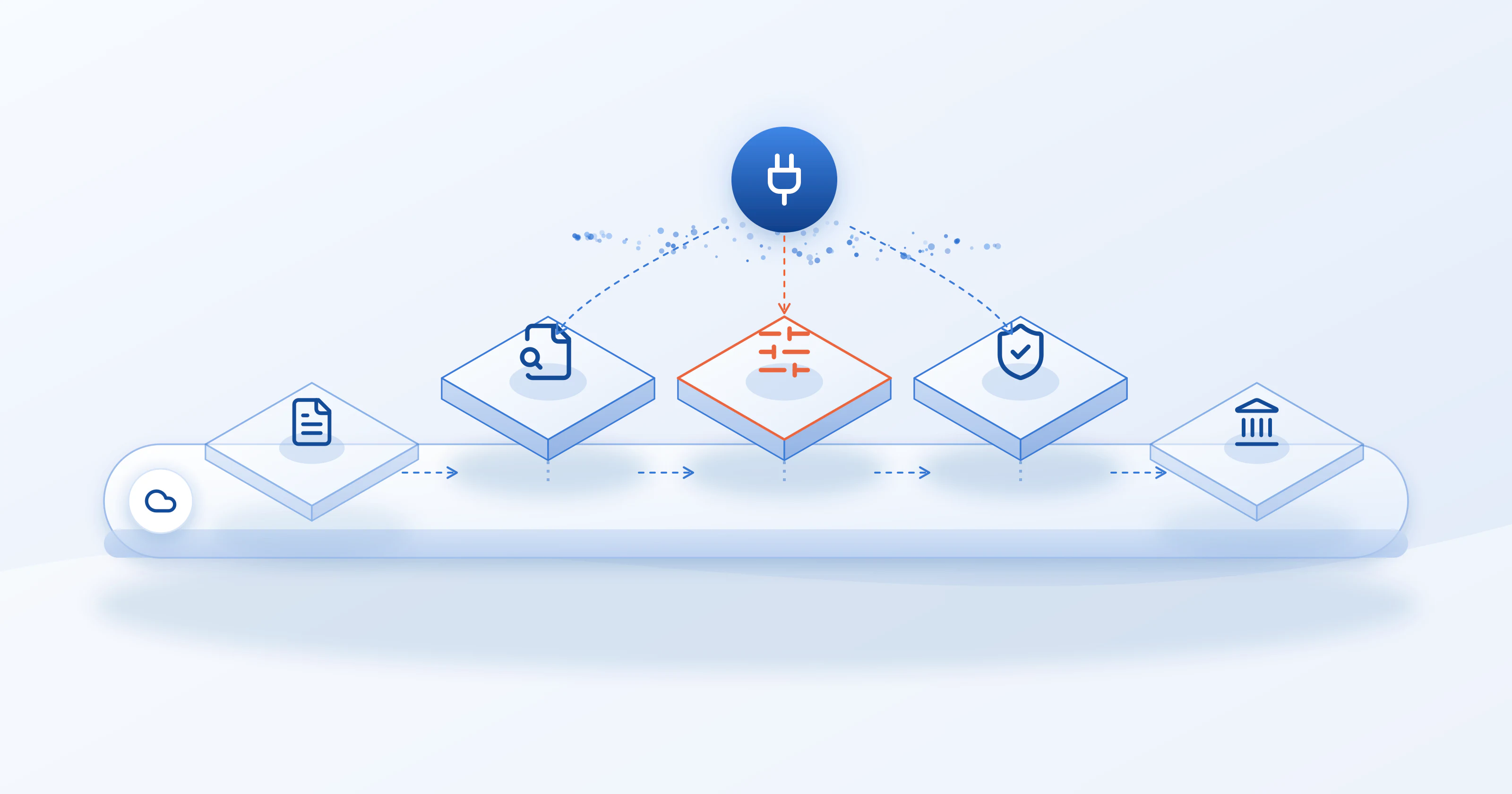
Your LOS runs the loan end to end. LASER plugs in the credit pull, the decision and compliance in between.
Who does what
What your LOS does, and what LASER adds.
The three LASER engines, ACCESS, DECIDE and COMPLY, each take one part of the credit step. Nothing here replaces your LOS.
| Step | Your Salesforce LOS | LASER |
|---|---|---|
| Application intake and borrower records | Your LOS | Reads the fields it needs through field mapping |
| Consent and permissible purpose | Your LOS captures the application | LASER COMPLY documents the basis for each pull |
| Credit report pull | No | LASER ACCESS pulls the report onto the loan record |
| Sanctions screening | No | OFAC check before or with the pull |
| Decision against your credit policy | Workflow and approvals | LASER DECIDE evaluates the report against your rules |
| Adverse action and records | Stores the loan file | LASER COMPLY supports the notice and the record |
| Documents, closing, funding, servicing | Your LOS | Not LASER's job |
How it connects
How LASER plugs into a Salesforce LOS.
Works on the objects your LOS uses
LASER is a Salesforce-native app. Field mapping connects it to Lead, Contact, Account and Opportunity out of the box, and to custom objects such as a loan or application record. The pull reads the borrower fields your LOS already holds; nothing is re-keyed.
Pulls when the loan reaches a stage
A Salesforce Flow can run the pull automatically, for example when an application moves to underwriting, using LASER's invocable action. Loan officers can also pull on demand with the Get Credit Data button.
Batch and scheduled re-pulls
Portfolio Review runs credit pulls for many records at once, and scheduled updates re-pull at 3, 6 or 12 month intervals for account reviews.
Soft pulls for prequalification
Soft-pull logins let you prequalify before the full application, then run the hard pull when the borrower goes ahead, on the same record.
Screening and data quality before the pull
Run an OFAC check before or with the credit pull, validate the address first so the bureau can match the file, and reuse a recent report instead of ordering a duplicate.
Access your compliance team can defend
Permission sets control who can pull, who can only read, and which bureau credentials each user may use. The parsed report, tradelines and PDF stay on the record.
Bureaus and agencies, from one connection
Pull from the provider your credit policy calls for, without a separate integration for each.
- Experian
- Equifax
- TransUnion
- Xactus
- Cotality (CoreLogic Credco)
- Factual Data
- Informativ
- FPN
See the full list on credit partners.
Frequently asked questions
Salesforce loan origination questions.
What is a Salesforce loan origination system?
A Salesforce loan origination system is an LOS built on the Salesforce platform: Salesforce's own Financial Services Cloud lending tools, an LOS app from the AppExchange, or a custom build on Salesforce objects. It manages the loan from application through documents, approval, closing and funding, with the borrower and the loan living in the same CRM as the rest of the relationship.
Is LASER Credit Access a loan origination system?
No. LASER is the credit layer that runs inside a Salesforce loan origination system. It pulls the credit report, evaluates it against your credit policy, and supports the compliance steps around the decision, all on the loan record your LOS already uses. Intake, documents, closing, funding and servicing stay with your LOS.
Does LASER work with a custom-built Salesforce LOS?
Yes. Field mapping works with Lead, Contact, Account and Opportunity and with custom objects, so LASER can read borrower details from a custom loan or application object and write the credit report back to it. The mapping is configured during setup.
Can the credit pull run automatically at a loan stage?
Yes. LASER exposes an invocable action, so a Salesforce Flow can pull the credit report when a record reaches a stage you choose, such as moving to underwriting. Developers can also call it from Apex, and loan officers can pull on demand with the Get Credit Data button.
Which credit bureaus and agencies does LASER connect to?
Experian, Equifax and TransUnion, and credit reporting agencies including Xactus, Cotality (CoreLogic Credco), Factual Data, Informativ and FPN (Fraud Protection Network). Tri-merge reports are available through the agencies that provide them.
Does LASER support soft pulls for prequalification?
Yes. A login can be set up for soft pulls, so you can prequalify a borrower without a hard inquiry and run the hard pull at application on the same record. A soft pull is still a consumer report, so it needs a permissible purpose, usually the consumer's written instruction.
Where does the credit data live after the pull?
In your Salesforce org. LASER parses the report into a Personal Credit Report record with its trade accounts and payment history, links it to the loan record, and can attach the PDF. Permission sets control who can see it.
Keep exploring
Related products & reading.
Credit decisioning software
LASER DECIDE: check each credit report against your decision rules.
Automated underwriting
Approve, decline or refer, with the rule path on every file.
Lending compliance
LASER COMPLY: permissible purpose, adverse action and records.
Credit partners
Every bureau and agency LASER connects to.
What is credit decisioning?
How an application and its data become approve, decline or refer.
Read moreCredit reports and compliance in Salesforce
Keep the pull, the decision and the record together.
Read moreDoes a soft pull affect credit?
What applicants ask about prequalification, and what lenders must still do.
Read moreKeep your LOS. Add the credit step.
See LASER pull, decide and document a credit report on your Salesforce loan record.