
The short answer
Getting credit bureau data into Salesforce should not take a development project. A credit report API is the connection that lets software ask a bureau for a credit report and get it back as data. Lenders usually pick one of three approaches: a data feed their team connects, a hosted portal or PDF workflow, or a Salesforce-native package. This guide helps you compare them.
What is a credit report API?
It is a way for one system to ask another for a credit report without a person logging in to a bureau website. Your system sends a request with the applicant's details. The bureau sends back the report. The word "API" only means "the agreed way two systems talk to each other."
What is a credit check API?
People use this term for a few things, and there is no single standard. Most often it means a request that returns a score or a simple pass or fail result, instead of the full report with every account listed. When you compare vendors, ask what comes back: a full report, a score, or a yes or no.
Three ways to bring bureau data into Salesforce
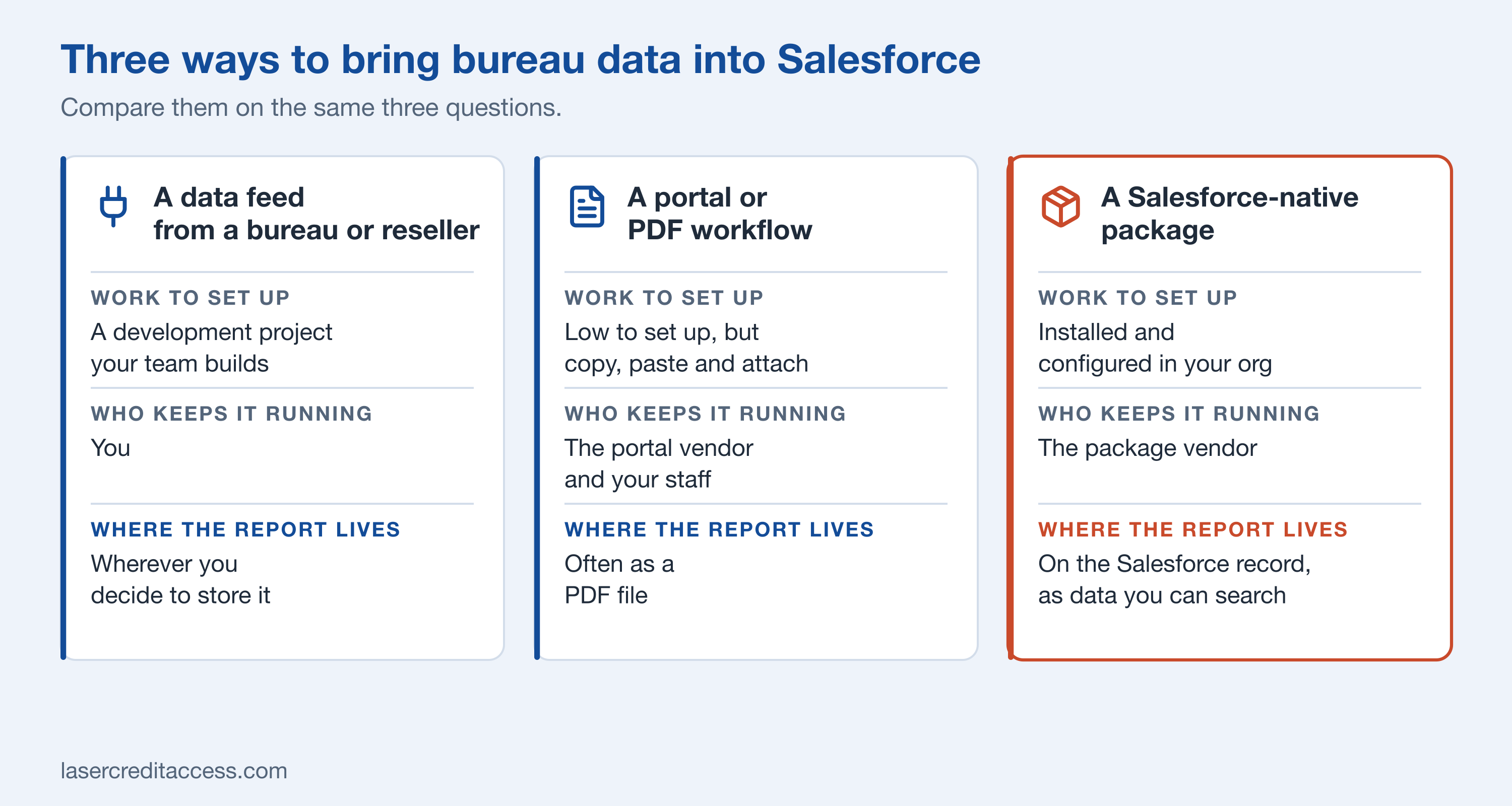
Three ways to bring bureau data into Salesforce, compared on the work to set up, who keeps it running and where the report lives.
| A data feed from a bureau or reseller | A hosted portal or PDF workflow | A Salesforce-native package | |
|---|---|---|---|
| How much work is it? | A significant development project, and not a simple one. It takes developer skill and credit knowledge, because bureau data has many details to get right, and you still need to build decisioning on top | Low to set up, but people copy and paste or attach files | Installed in your Salesforce org and configured there. With LASER Credit Access®, standard installation and configuration take under an hour and need no developer |
| Who keeps it running? | You, when the bureau or Salesforce changes something | The portal vendor, plus your staff doing the manual steps | The package vendor |
| What compliance work lands on you? | Recording why each report was pulled and who can see it | The same, handled by hand | Built into the package. With LASER Credit Access, the permissible purpose and legal basis are recorded for each report, consent is captured, and adverse action notices are created, sent and stored |
| Where does the report live? | Wherever you decide to store it | Often as a PDF file | On the Salesforce record, as data you can search and report on |
| What if you want a different bureau later? | A connection made for one bureau works with that bureau. Adding or switching usually means doing the work again | Switching means a new portal and new habits | Depends on the package. Ask how many bureaus it connects to. With LASER Credit Access, switching is a change of credentials |
The hidden cost of a single-bureau connection. Each bureau sends its data in its own format. A connection made for one bureau ties you to that bureau. If your needs change, because a customer type needs a different report, a price changes, or you want a second source, you rebuild the connection instead of changing a setting. Ask about this before you choose.
No approach is right for everyone. A small team that pulls a few reports a month may be fine with a portal. A lender that pulls reports inside every application usually wants the report on the Salesforce record. To see how one of the bureaus connects, look at the Experian, Equifax and TransUnion pages, or the full list on credit partners.
Single bureau, merged and tri-merge reports
- Single bureau report. Data from one bureau (Equifax, Experian or TransUnion). Common in consumer and small business lending, where one view is enough.
- Merged report. Two kinds of combining, and the term is used for both:
- Bureaus combined. Data from two or more bureaus put into one report, so you see one picture without comparing several.
- People combined. An applicant and a co-applicant, such as a spouse or someone you share credit with, on one report. This is common for joint loans. Ask any vendor which one they mean.
- Tri-merge report. Data from all three bureaus combined. Most often used in mortgage lending, where the rules call for all three.
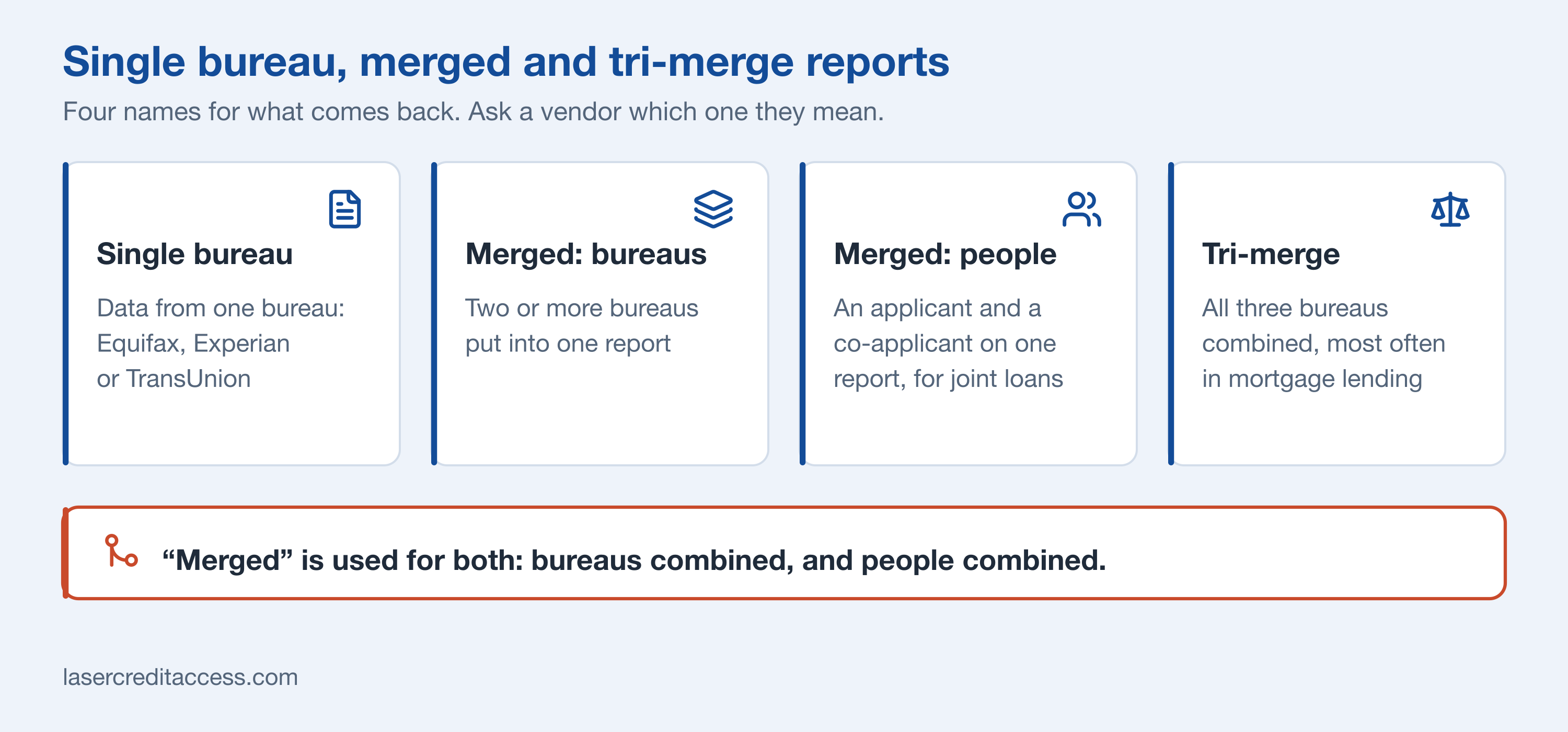
Single bureau, two kinds of merged report, and tri-merge. Ask any vendor which merge they mean.
Read more: business vs personal credit report.
LASER Credit Access supports single bureau, merged (including joint applicant) and tri-merge reports.
Questions to ask any vendor
Use these as a checklist. Each one is a question you can ask in a demo.
How it works in Salesforce with LASER Credit Access
LASER Credit Access is the credit layer for lending on Salesforce. It is not a loan origination system. It runs inside the Salesforce org you already use: Financial Services Cloud, an origination app from the AppExchange, or a custom build. Its ACCESS engine does the work of bringing the data in: unified bureau and financial data from every major source, inside Salesforce.
- Standard installation and configuration take under an hour and need no developer. Custom projects take longer.
- The address is verified.
- The permissible purpose and legal basis for each report are saved on the record.
- Consent is captured with the text, location and version of the language the applicant agreed to.
- Identity verification (IDV) can run before or after the credit report is pulled.
- The report is pulled and comes back as structured data. Soft pulls, reissues and upgrades, tri-merge and joint applicant reports are all supported.
- OFAC screening is built in.
- A decision is made against your credit policy, and each rule's result is kept.
- If the application is declined, the adverse action notice is created, sent and stored.
- Everything is stored for the right retention period, then removed.
- You control who can pull, who can only read, and which bureau credentials each user may use.
- Works with Equifax, Experian and TransUnion, directly or through a credit reporting agency or reseller. You are not tied to one source. Switching is a change of credentials, not a rebuild.
A credit pull in Salesforce: the checks around it and the report all end up on one record.
For the wider picture, see credit reports, decisioning and compliance in Salesforce and credit bureau integration in Salesforce.
The Fair Credit Reporting Act in one section
The Fair Credit Reporting Act (FCRA) says you may only pull a credit report for a valid reason, called a permissible purpose. Applying for a loan is one example. Curiosity is not. Whatever you use to bring in bureau data should record the reason each time. Read the full guide: FCRA permissible purpose for lenders.
This is general information, not legal advice. Talk to your compliance counsel about your own process.
Next step
See how it works on your own process. Schedule a Discovery Call.
General reference point, not legal advice.